
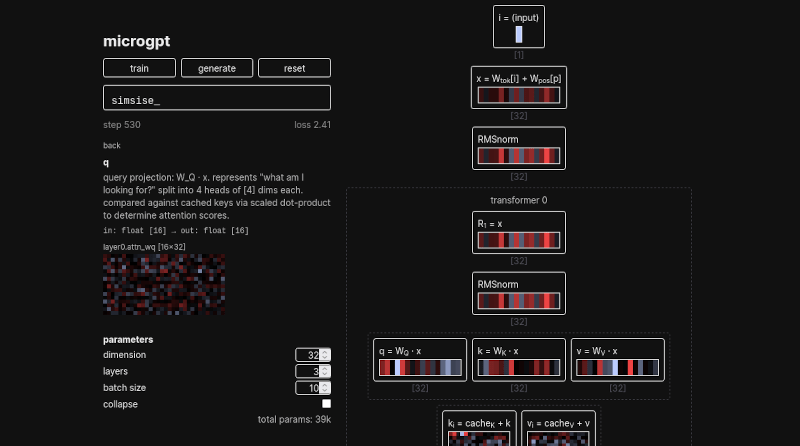
Regardless of what you think of GPT and the associated AI hype, you have to admit that it is probably here to stay, at least in some form. But how, exactly, does it work? Well, MicroGPT will show you a very stripped-down model in your browser. But it isn’t just another chatbot, it exposes all of its internal computations as it works.
The whole thing, of course, is highly simplified since you don’t want billions of parameters in your browser’s user interface. There is a tutorial, and we’d suggest starting with that. The output resembles names by understanding things like common starting letters and consonant-vowel alternation.
At the start of the tutorial, the GPT spits out random characters. Then you click the train button. You’ll see a step counter go towards 500, and the loss drops as the model learns. After 500 or so passes, the results are somewhat less random. You can click on any block in the right pane to see an explanation of how it works and its current state. You can also adjust parameters such as the number of layers and other settings.
Of course, the more training you do, the better the results, but you might also want to adjust the parameters to see how things get better or worse. The main page also proposes questions such as “What does a cell in the weight heatmap mean?” If you open the question, you’ll see the answer.
Overall, this is a great study aid. If you want a deeper dive than the normal hand-waving about how GPTs work, we still like the paper from [Stephen Wolfram], which is detailed enough to be worth reading, but not so detailed that you have to commit a few years to studying it.
We’ve seen a fairly complex GPT in a spreadsheet, if that is better for you.