
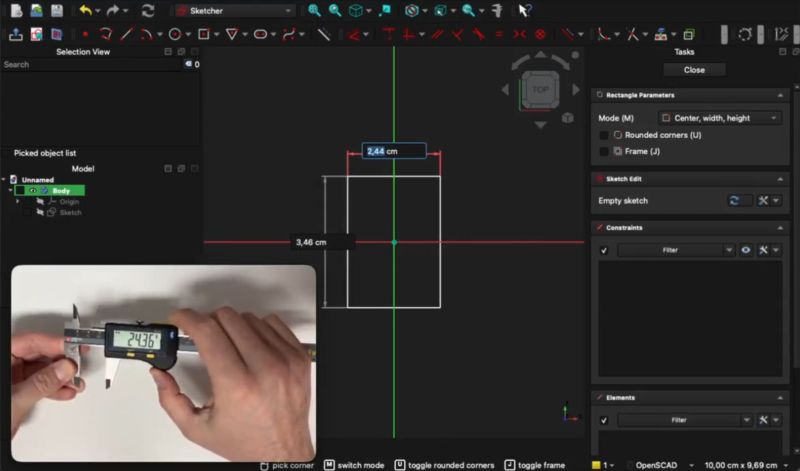
It’s a common ritual: whipping out those calipers or similar measuring devices to measure part of a physical object that we’re trying to transfer into a digital model in an application like FreeCAD. Wouldn’t it be nice if said measurements were to be transferred instantaneously into the model’s sketch, including appropriate units of measurement? That’s essentially what [stv0g] has done by merging a Sylvac Bluetooth-enabled caliper and FreeCAD using a plugin.
Key to the whole operation is a Bluetooth-enabled caliper like the Sylvac S_Cal EVO that [stv0g] managed to score on EBay for a mere €90 when it normally goes for multiple times that amount. This has BLE built in, using BLE’s standard GATT profiles for device communications specifications. Along with the provided Sylvac developer tools, this made it relatively easy to develop the InstrumentInput addon for FreeCAD.
This addon can be easily installed via FreeCAD’s addon manager as well, or if you wish to just use the calipers this way and don’t care about FreeCAD, the base Python library is also available.
Interestingly, this BLE-enabled caliper also supports HID mode, to emulate keyboard input, and thus it can work in any application by default. The reason why [stv0g] didn’t use this was that it only sends data when you press the caliper’s button, and it’s rather slow and limited.
Ever wonder what’s inside those calipers? We did too.