

In today’s Chromed-up world it can be hard to remember an era where browsers could be extended with not just extensions, but also with plugins. Although for those of us who use traditional Netscape-based browsers like Pale Moon the use of plugins has never gone away, for the rest of the WWW’s users their choice has been limited to increasingly more restrictive browser extensions, with Google’s Manifest V3 taking the cake.
Although most browsers stopped supporting plugins due to “security concerns”, this did nothing to address the need for executing code in the browser faster than the sedate snail’s pace possible with JavaScript, or the convenience of not having to port native code to JavaScript in the first place. This led to various approaches that ultimately have culminated in the WebAssembly (WASM) standard, which comes with its own set of issues and security criticisms.
Other than Netscape’s Plugin API (NPAPI) being great for making even 1990s browsers ready for 2026, there are also very practical reasons why WASM and JavaScript-based approaches simply cannot do certain basic things.
It’s A JavaScript World
One of the Achilles heels of the plugin-less WWW is that while TCP connections are easy and straightforward, things go south once you wish to do anything with UDP datagrams. Although there are ugly ways of abusing WebRTC for UDP traffic with WASM, ultimately you are stuck inside a JavaScript bubble inside a browser, which really doesn’t want you to employ any advanced network functionality.
Technically there is the WASI Sockets proposal that may become part of WASM before long, but this proposal comes with a plethora of asterisks and limitations attached to it, and even if it does work for your purposes, you are limited to whatever browsers happen to implement it. Meanwhile with NPAPI you are only limited by what the operating system can provide.
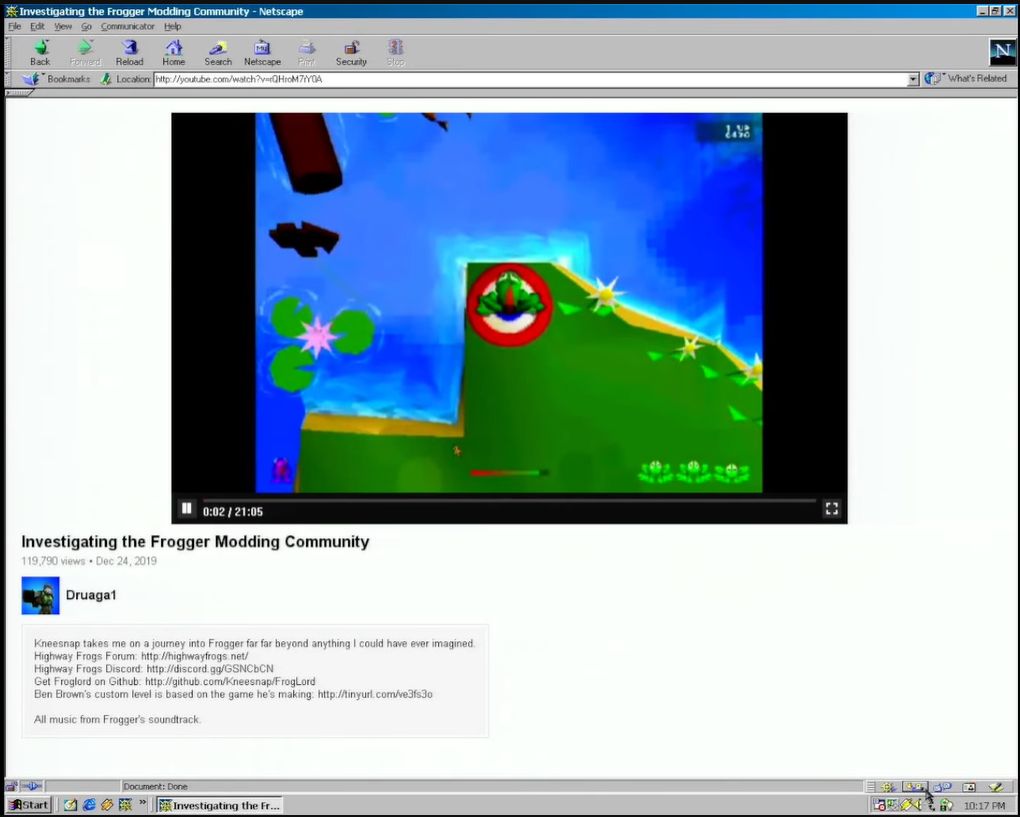
NPAPI plugin rendering YouTube videos in a Netscape 4.5 browser on Windows 98. (Credit: Throaty Mumbo, YouTube)
With NPAPI plugins you can even use the traditional method of directly rendering to a part of the screen, removing any need for difficult setup and configuration beyond an HTML page with an
<embed> tag that set up said rendering surface. This is what Macromedia Flash and the VLC media player plugin use, for example.These limitations of a plugin-less browser are a major concern when you’d like to have, say, a client running in the browser that wishes to use UDP for something like service discovery or communication with UDP-based services. This was a WASM deal breaker with a project of mine, as UDP-based service discovery is essential unless I wish to manually mash IP addresses into an input field. Even the WASI Sockets don’t help much, as retrieving local adapter information and the like are crucial, as is UDP broadcast.
Meanwhile the NPAPI version is just the existing client dynamic library, with a few NPAPI-specific export functions tagged onto it. This really rubs in just how straightforward browser plugins are.
Implementing It
 With one’s mind set on implementing an NPAPI plugin, and ignoring that Pale Moon is only one of a small handful of modern browsers to support it, the next question is where to start. Sadly, Mozilla decided to completely obliterate every single last trace of NPAPI-related documentation from its servers. This leaves just the web.archive.org backup as the last authoritative source.
For me, this provided also a bit of an obstacle, as I had originally planned to first do a quick NPAPI plugin adaptation of the libnymphcast client library project, along with a basic front-end using the scriptable interface and possibly also direct rendering of a Qt-based GUI. Instead, I would spend a lot of time piecing back together the scraps of documentation and sample projects that existed when I implemented my last NPAPI plugin back in about 2015 or 2016, back when Mozilla’s MDN hadn’t yet carried out the purge.
One of the better NPAPI tutorials, over on the ColonelPanic blog, had also been wiped, leaving me again with no other discourse than to dive into the archives. Fortunately I was still able to get my hands on the Mozilla NPAPI SDK, containing the
npruntime headers. I also found a pretty good and simple sample plugin called npsimple (forked from the original) that provides a good starting point for a scriptable NPAPI plugin.Starting With The Basics
At its core an NPAPI plugin is little more than a shared library that happens to export a handful of required and optional functions. The required ones pertain to setting up and tearing down the plugin, as well as querying its functionality. These functions all have specific prefixes, with the
NP_ prefixed functions being not part of any API, but simply used for the basic initialization and clean-up. These are:NP_GetEntryPoints(not on Linux)NP_InitializeNP_Shutdown
During the initialization phase the browser simply loads the plugin and reads its MIME type(s) along with the resources exported by it. After destroying the last instance, the shutdown function is called to give the plugin a chance to clean up all resources before it’s unloaded. These functions are directly exported, unlike the
NPP_ functions that are assigned to function pointers.The
NPP_ prefixed functions are part of the plugin (NP Plugin), with the following being required:NPP_NewNPP_DestroyNPP_GetValue
Each instance of the plugin (e.g. per page) has its own
NPP_New called, with an accompanying NPP_Destroy when the page is closed again. These are set in an NPPluginFuncs struct instance which is provided to the browser via the appropriate NP_ function, depending on the OS.Finally, there are
NPN_ prefixed functions, which are part of the browser and can be called from the plugin on the browser object that is passed upon initialization. These we will need for example when we set up a scriptable interface which can be called from e.g. JavaScript in the browser.When the browser calls
NPP_GetValue with as variable an instance of NPPVpluginScriptableNPObject, we can use these NPP_ functions to create a new NPP instance and retain it by calling the appropriate functions on the browser interface instance which we got upon initialization.Registration of the MIME type unfortunately differs per OS , along with the typical differences of how the final shared library is produced on Windows, Linux/BSD and MacOS. These differences continue with where the plugin is registered, with on Windows the registry being preferred (e.g.
HKLM/Software/MozillaPlugins/plugin-identifier), while on Linux and MacOS the plugin is copied to specific folders.Software Archaeology
It’s somewhat tragic that a straightforward technology like NPAPI-based browser plugins was maligned and mostly erased, as it clearly holds many advantages over APIs that were later integrated into browsers, thus adding to their size and complexity. With for example the VLC browser plugin, part of the VLC installation until version 4, you would be able to play back any video and audio format supported by VLC in any browser that supports NPAPI, meaning since about Netscape 2.x.
Although I do not really see mainstream browsers like the Chromium-based ones returning to plugins with their push towards a locked-down ecosystem, I do think that it is important that everything pertaining to NPAPI is preserved. Currently it is disheartening to see how much of the documentation and source code has already been erased in a mere decade. Without snapshots from archive.org and kin much it likely would already be gone forever.
In the next article I will hopefully show off a working NPAPI plugin or two in Pale Moon, both to demonstrate how cool the technology is, as well as how overblown the security concerns are. After all, how much desktop software in use today doesn’t use shared libraries in some fashion?