
Xx Evelyne xX
New member
OK this is my first how to so hopefully it will go good, but before I start I would like to thank a few peeps who helped me out.InsainCain, ztahoez, dexter's Lab, HouseFlipper, and all the other great guys from Palringo's Crickethf :clapping:
Ok now here we go:
Tools needed
CDMA Workshop
LGNPST
VX9600 DLL
if you dont have these all i can say is Google is your friend
First thing to do is to get cdma workshop (new version) and change the prl and hdr for evdo. If you dont know how to do this, start searching.
Next open LGNPST and load the vx9600 dll should look like this.

After thats loaded click on phone settngs and click on read and this box will come up
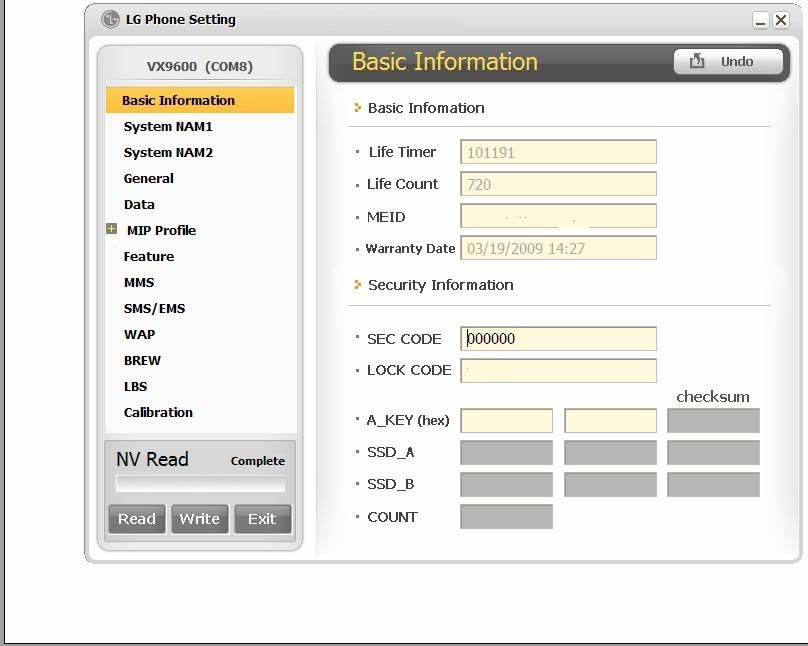
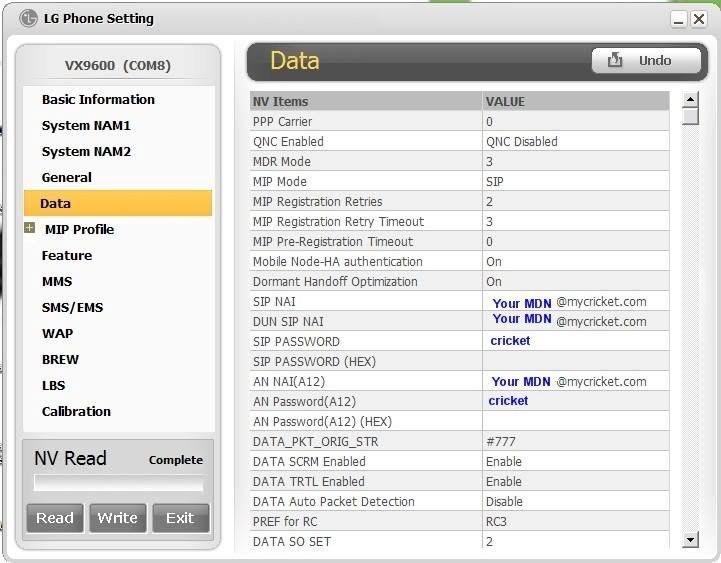
Click on data and follow picture..(MDN = your 10 digit number)
Next click on MMS and once again follow picture

Lastly go to WAP settings and once again follow the picture (MIN = number from cricket, call and get it)
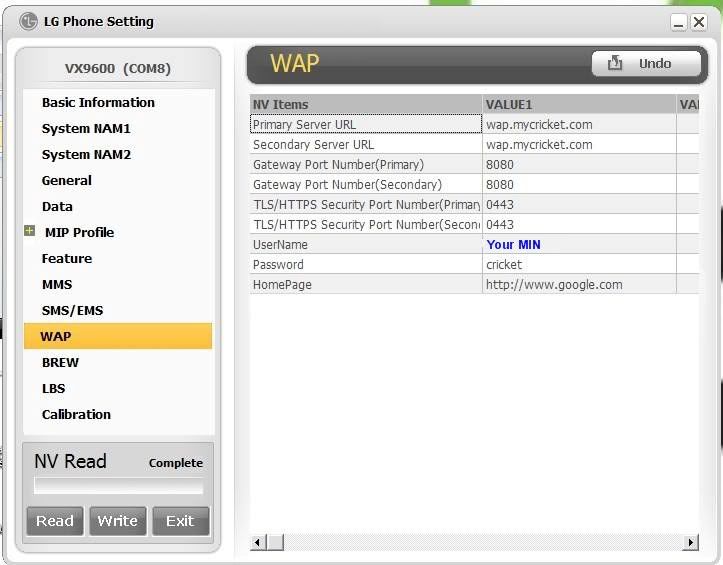
Now I have made this as easy and painless as i could, if you cant get it, then you should not be attempting to flash a phone
Enjoy your Fully flashed Versa
Ok now here we go:
Tools needed
CDMA Workshop
LGNPST
VX9600 DLL
if you dont have these all i can say is Google is your friend
First thing to do is to get cdma workshop (new version) and change the prl and hdr for evdo. If you dont know how to do this, start searching.
Next open LGNPST and load the vx9600 dll should look like this.
After thats loaded click on phone settngs and click on read and this box will come up
Click on data and follow picture..(MDN = your 10 digit number)
Next click on MMS and once again follow picture
Lastly go to WAP settings and once again follow the picture (MIN = number from cricket, call and get it)
Now I have made this as easy and painless as i could, if you cant get it, then you should not be attempting to flash a phone
Enjoy your Fully flashed Versa
 i put back his n00b stats *puts it back on*